


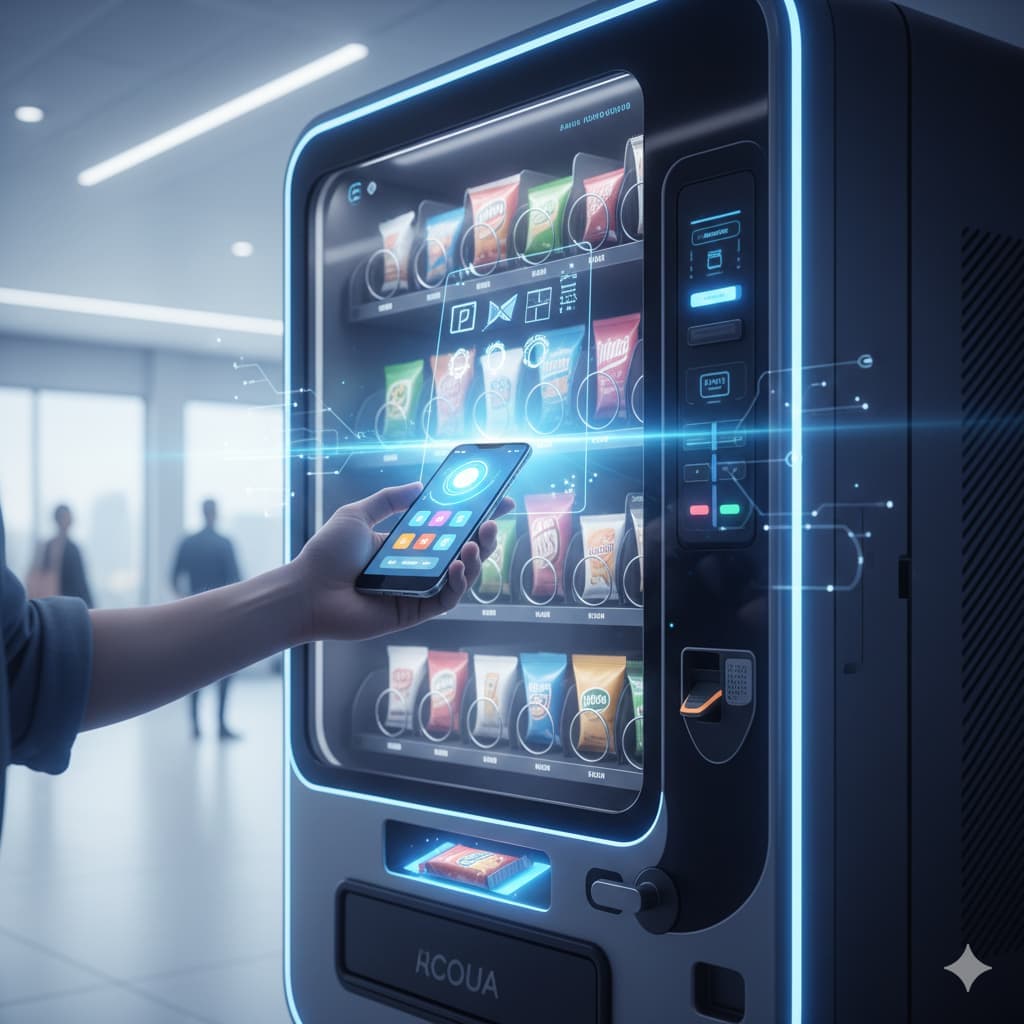
In today’s fast-paced world, convenience is king. Gone are the days when carrying cash or coins was necessary to grab a quick snack or drink. With the rise of mobile payment technologies, knowing how to pay vending machine with phone has become essential. Whether at the office, a school, or a busy transit hub, digital wallets and NFC-enabled devices make transactions faster, safer, and more hygienic. This guide will show you everything about how to pay with phone on vending machine, from selecting your favorite snack to troubleshooting common issues.
The Magic of NFC: Using Digital Wallets
Near Field Communication (NFC) technology is the backbone of modern mobile payments. Most smartphones today come equipped with NFC chips, which allow you to communicate with vending machines effortlessly. Learning how to pay vending machine with phone often starts here.
When a vending machine is NFC-enabled, it typically displays the contactless symbol, signaling that your digital wallet, such as Apple Pay, Google Wallet, or Samsung Pay, can be used. The process is almost instantaneous: you select your item, tap your phone, and wait for the “beep” or visual confirmation from the machine.
For example, Soda Lemon vending machines in the UAE, including models like the 750 EXCELLENCE vending machine, the FAS 750 business vending machine, and the FAS 1050 PRO vending machine, are equipped with NFC technology, making them perfect for mobile payments. FAS Cashback vending machine even offers rewards when you pay via mobile, enhancing convenience and savings.
Mobile Apps: Grabbing Snacks via QR Codes
Another exciting way to pay is through QR code-based mobile apps. Many vending machines now allow payments through a dedicated application or third-party platforms. Understanding how to pay with phone on vending machine using apps is simple:
- Open the vending machine app or scan the QR code displayed on the machine.
- Select your desired item from the virtual menu.
- Confirm payment via your linked mobile wallet or card
- Collect your snack as the machine dispenses it.
This method is particularly useful for machines without physical NFC readers but equipped with smart features. Notably, Soda Lemon integrates QR-based options alongside NFC, catering to users who prefer app-based transactions. Using mobile apps also lets you track purchase history, earn loyalty points, and even customize your snack choices for repeat purchases.
Step-by-Step: From Selection to Snack
Paying a vending machine with your phone can feel magical, but it’s easy to master. Here’s a step-by-step guide for understanding how to pay vending machine with phone efficiently:
- Locate an NFC or QR-enabled machine: Look for the contactless symbol or QR code displayed on the machine. Models like the 750 EXCELLENCE vending machine or FAS 1050 PRO vending machine are standard in many UAE offices.
- Choose your item: Make your selection as usual, either by pressing the button or selecting it through the app. Many Soda Lemon vending machines offer beverages, snacks, and healthy options.
- Activate your payment method: Open your digital wallet or app, select the payment method, and get ready to tap or scan.
- Tap or scan your phone: For NFC, hold your phone close to the contactless reader until a beep or light confirms the transaction. For QR codes, scan, approve the payment, and wait for confirmation.
- Receive your item: The machine will dispense your snack or drink. Congratulations, you’ve successfully paid without using cash!
Remember, the convenience of learning how to pay with phone on vending machine is not just about speed. It reduces contact, keeps transactions secure, and often integrates rewards or cashback, especially with machines like the FAS Cashback vending machine.
Safety and Security
Many people wonder if paying via mobile is safe. When learning how to pay vending machine with phone, security is a top concern. Mobile payments are generally more secure than carrying cash or swiping a physical card. Here’s why:
- Encrypted Transactions: Digital wallets encrypt your payment information, making it difficult for hackers to access your data.
- Tokenization: Mobile payments often use tokenization, which replaces sensitive card information with a unique token.
- Biometric Verification: Most smartphones require Face ID, Touch ID, or a password to authorize payments.
By using NFC-enabled machines like Soda Lemon vending machines, you reduce the risk of theft or skimming. Additionally, app-based payments via QR codes add another layer of security, as your card details are never directly shared with the machine.
Troubleshooting: When the “Beep” Doesn’t Happen
Even the best technology occasionally faces hiccups. If your vending machine doesn’t respond when trying how to pay with phone on vending machine, follow these tips:
- Check phone settings: Ensure NFC is enabled or that your app has the necessary permissions.
- Check for screen lock issues: Some phones require unlocking before the NFC chip activates.
- Try a different payment method: Switch to another digital wallet or card linked to your app.
- Restart the app or machine: Occasionally, restarting the vending machine app or refreshing the page fixes glitches.
- Contact support: Many vending machine suppliers in UAE provide customer support numbers on the machine. For instance, Soda Lemon offers an online support portal for quick assistance.
Understanding how to pay vending machine with phone also includes patience, machines may experience network delays, especially if the payment method relies on mobile internet.
Also read: What to Look for When Buying Vending Machine Ingredients
Conclusion
Mastering how to pay vending machine with phone transforms everyday snacking into a seamless experience. Whether using NFC-enabled devices or QR-based mobile apps, modern vending machines like Soda Lemon, 750 EXCELLENCE vending machine, and FAS 1050 PRO vending machine offer fast, secure, and convenient solutions.
If you’re ready to embrace cashless convenience, explore the wide range of smart vending solutions available at Soda Lemon Vending Machines. From offices to schools, these machines redefine how we enjoy snacks and drinks.
Also read: What is the Purpose of Vending Machines? Top 5 Benefits
FAQs
Do I need an internet connection to pay with my phone?
Yes, for QR code-based payments or app transactions, an internet connection is usually required. NFC payments may work offline, depending on your wallet provider.
What does the “contactless” symbol look like?
It looks like a series of curved lines, similar to a Wi-Fi icon turned on its side, indicating the machine can communicate with your device via NFC.
Can I use my phone if the machine doesn’t have a touch screen?
Absolutely, NFC-enabled machines do not require a touchscreen; a simple tap near the reader completes the payment.
Is it safer than using a credit card?
Yes, mobile payments often include encryption, tokenization, and biometric verification, making them more secure than traditional card swipes.
Also read: Healthy Vending: Meeting the Demand for Nutritious Snacks in UAE Schools and Offices